The KALM
Project
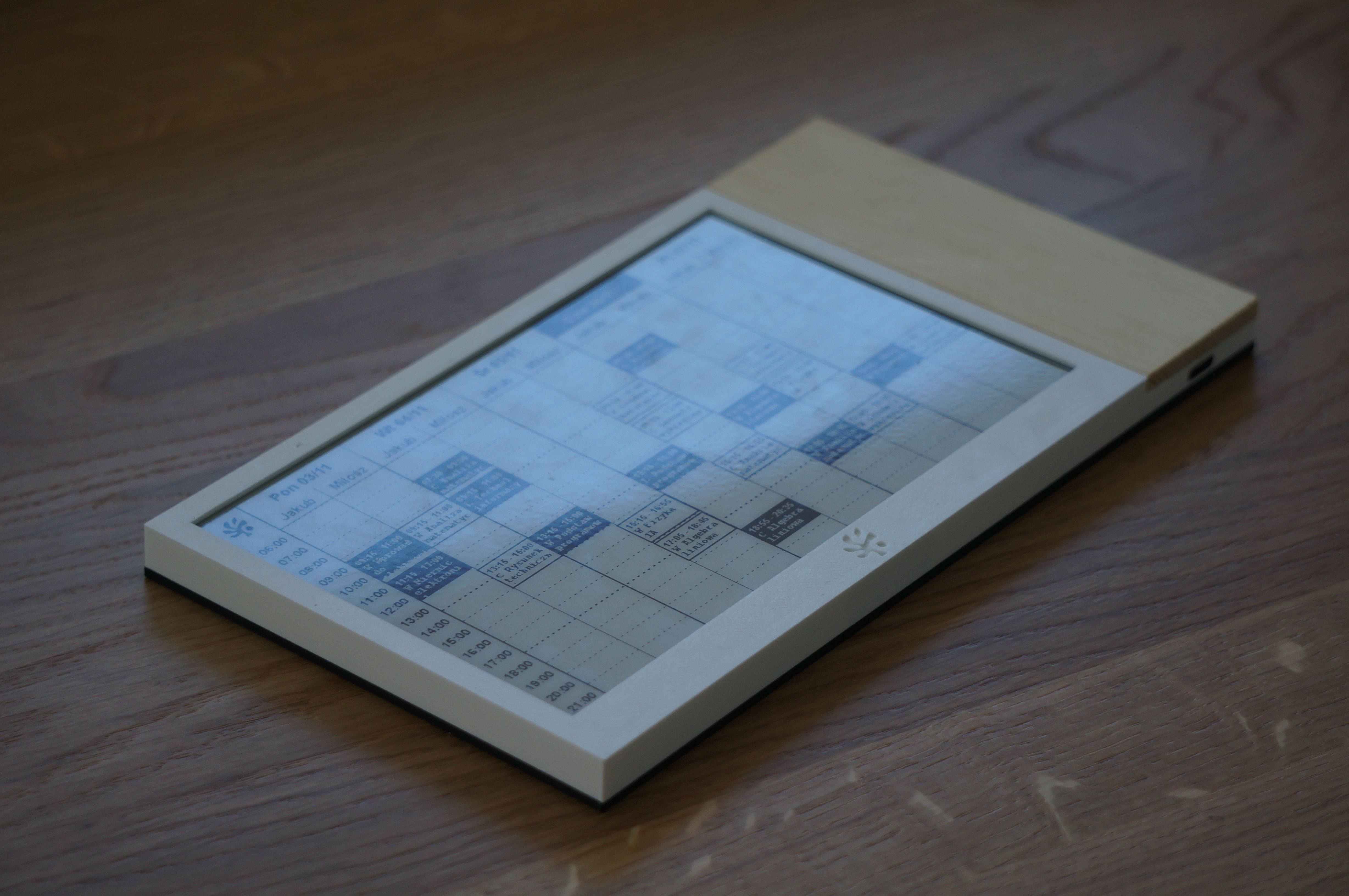
An ambient desk and wall calendar built on an ESP32-C3 driving a 7.5″ B/W e-paper display via SPI. The device has no always-on Wi-Fi, no local server, and no subscription. Its entire operational contract is four steps: wake → fetch → draw → sleep. Heavy UI rendering is offloaded entirely to Google Apps Script, which returns the calendar as one Base64 bitmap over HTTPS; the MCU decodes the stream in 24-row slices so a full framebuffer never sits in RAM.
The Problem
An always-visible schedule should not require you to unlock a phone, run a server, or pay a cloud subscription to a third party.
Every existing solution for ambient calendar display forces a significant operational compromise. KALM was built to eliminate all three of the primary failure modes simultaneously.
- Phone-based solutions require interaction — the act of checking defeats the purpose of ambient display.
- Local server stacks (Home Assistant, custom Pi rigs) demand always-on infrastructure, maintenance, and updates.
- Cloud SaaS subscriptions (smart displays, digital frames) introduce recurring cost, dependency on vendor uptime, and privacy exposure.
A single-purpose appliance that performs one loop flawlessly: wake, fetch, render to screen, sleep. No RTOS. No persistent Wi-Fi. No background processes. The device is either asleep or it is done.
Cloud-Rendered Architecture
CalendarApp,
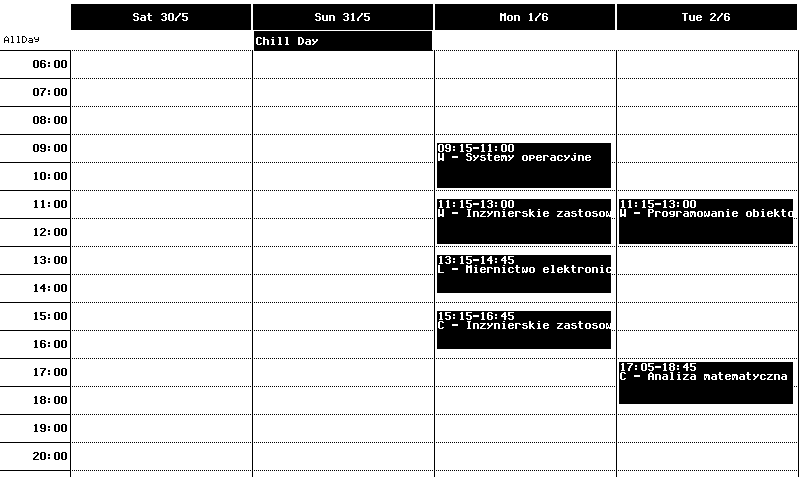
draws a 4-day grid (06:00–21:00) server-side, and returns one Base64-encoded 1-bit
800×480 buffer as plain text. The ESP32 streams that HTTP body, Base64-decodes into a
small row buffer (24 scanlines at a time), and writes each slice to the panel over SPI —
never allocating a full framebuffer on the MCU.
?view=weather_json, the same Apps Script
deployment calls OpenWeather and returns a compact JSON object. The ESP32 draws the
weather screen locally (FreeSans + Meteocons icon font). The bitmap layout stays on
the MCU; only the data fetch is cloud-side.
Weather: GAS proxies OpenWeather → JSON → on-device UI. No server-side weather bitmap.
Hardware & Enclosure
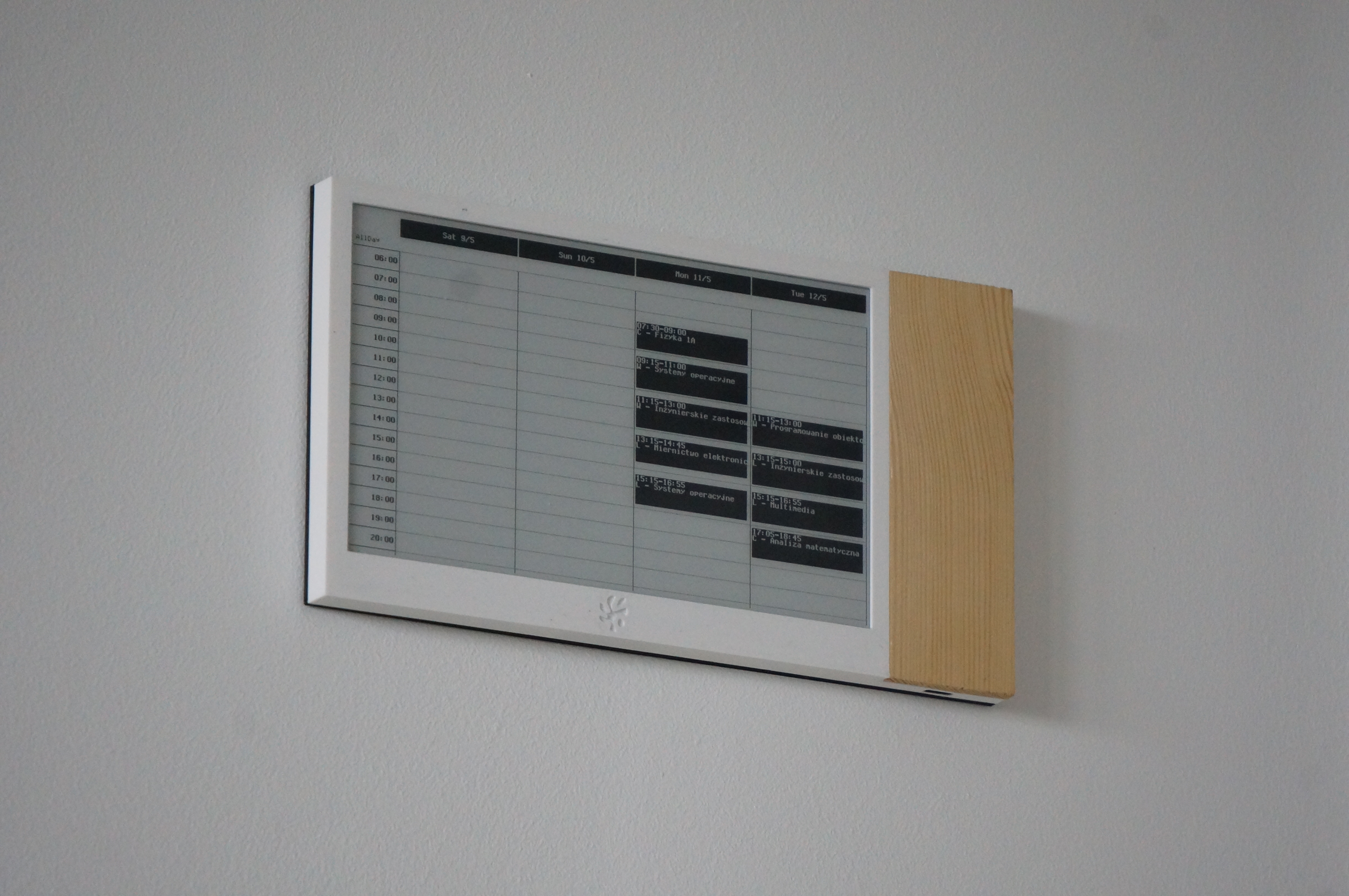
writeImagePart,
then a single full refresh runs at the end of the update. The firmware does not use
partial refresh for calendar mode. Once updated, the panel holds the image with no
backlight and no ongoing power draw.
Power & State
esp_deep_sleep with timer until the next 00:01 or 12:00 (calendar), 300 s (weather glance), or after errors. Refresh pin alone can wake from sleep.?view=weather_json from the same script URL (GAS
calls OpenWeather), draws the screen on-device, and sleeps for 300 s. A timer wake
then reloads the calendar and returns to the normal twice-daily schedule. Press again
during weather to switch back immediately.